Delivery & logistics
Deliver more with the fleet you already have.
Routimize turns the day’s orders into routes that respect vehicle capacity, delivery windows, driver shifts and breaks, optimized across the whole fleet for the objective you set: cost, distance and CO₂, working time or the number of vehicles.
For: Transport managers, dispatchers and operations leads at distributors, 3PLs, wholesalers and delivery companies.
Challenges
What changes with Routimize.
Today: Dispatchers spend the start of every day building routes, and redo them when orders change.
With Routimize: Import the day’s orders, run Auto Plan in the background, and adjust the result instead of building it.
Today: Vehicles leave partly empty while others overflow.
With Routimize: Plan against each vehicle’s capacity in units, weight or volume, and see how much of every vehicle and shift each route uses.
Today: Delivery windows are missed because they were not considered when the route was built.
With Routimize: Time windows, shifts and breaks are part of the optimization, and anything that cannot fit is listed with the reason.
Today: More volume means more vehicles, even when the existing fleet has room.
With Routimize: Run the plan with the objective of using the fewest drivers, and compare it with a cost- or time-optimized plan.
Capabilities
What Routimize handles for you.
Whole-fleet optimization
All vehicles planned together on road distances and travel times, with a travel-time factor to match local traffic conditions.
Capacity
Units, weight and volume limits per vehicle, and minimum or maximum stops per driver.
Time
Customer time windows, driver shifts and breaks, and service time at each stop.
Matching
Skills and vehicle types so special orders go to a driver or vehicle that can serve them.
Several depots
Drivers start and end where they actually are (different depots or home) within one organization.
Live execution
Drivers record arrivals and completions in the app; dispatchers see progress and driver locations live.
How it works
Your workflow with Routimize.
- 01Import the day’s ordersFrom Excel, or from your system through the API.
- 02Set the objective and constraintsLowest cost, fewest kilometres, shortest time or fewest vehicles; switch constraints on as your operation needs them.
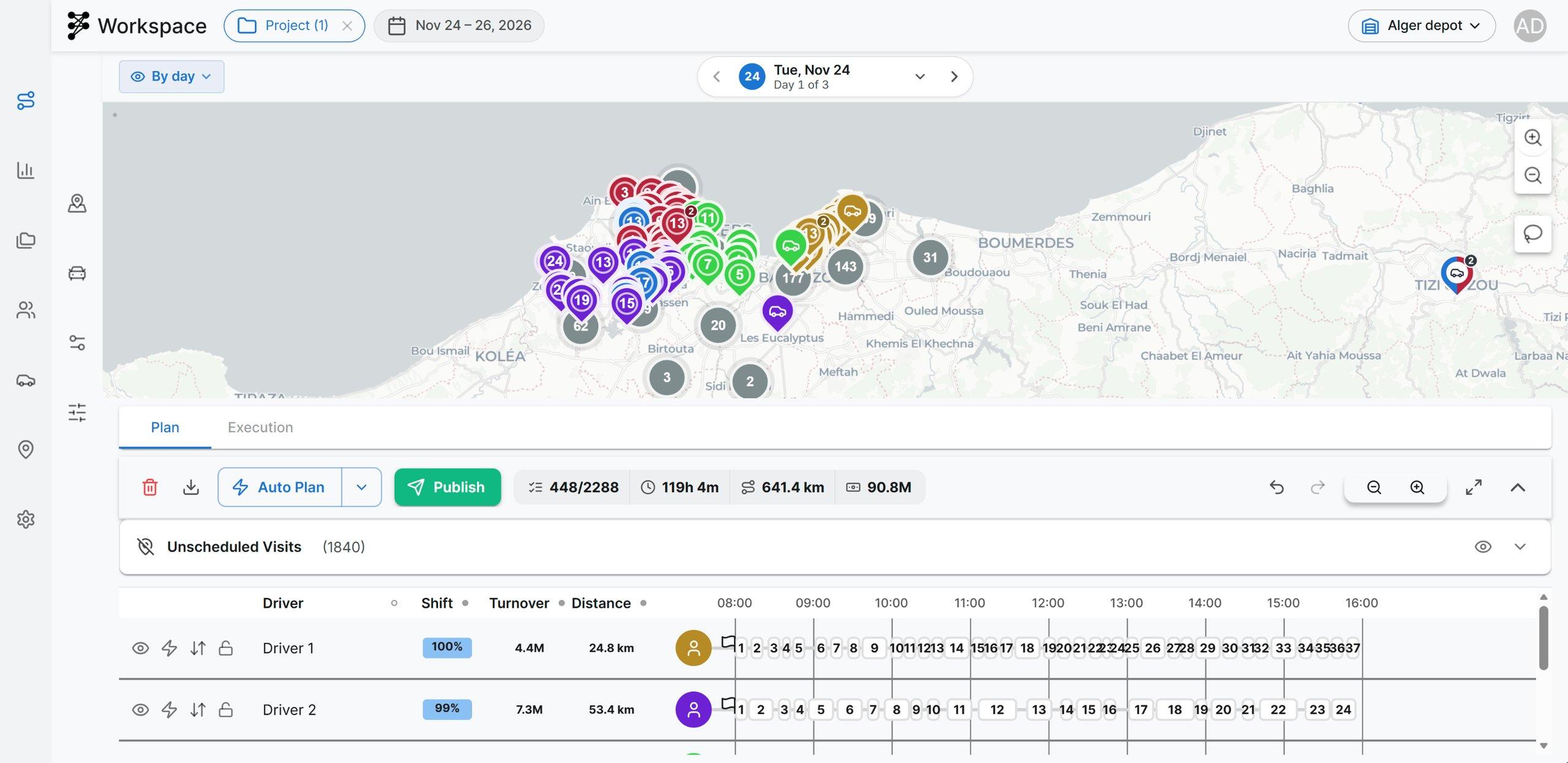
- 03Generate and reviewRoutes on the map and on a timeline per driver, with capacity and shift use, and unplanned stops explained.
- 04Dispatch and followPublish to the driver app and follow execution live.
What we measure in your assessment
Results on your data, not on a brochure.
- Total kilometres
- Vehicles used
- Working time
- Stops delivered within their window
- Capacity use per vehicle
Next step
See tomorrow’s deliveries planned with Routimize.
Send us a sample of your visits, fleet and rules. We plan it with Routimize and walk you through the result: kilometres, vehicles, working time, and anything that could not be planned, with the reason why.
No commitment. You talk directly with the people who build the engine.